 My Fisio Agenda
Track physiotherapy session packs one session at a time
A 5-session pack for a shoulder tendinopathy, or 10 sessions to rehab a knee after surgery? My Fisio Agenda numbers every appointment that goes against the session pack, shows you how many sessions have been used and how many are left, and keeps what you have collected apart from what is still owed. No notebooks, no spreadsheets. 1 month free, no card.
“Was that session part of the pack or not?”
In a physiotherapy clinic, new packs come and go every week. The runner with plantar fasciitis takes a 5-session pack, the patient recovering from knee surgery pays for 10 to cover her whole rehab, and the player from the local football club pays half today and the rest at the end of the month. If all of that lives in a notebook at reception or in a spreadsheet, the doubts creep in sooner or later: was Thursday's cancelled session deducted? How much is still owed? Are there two sessions left, or none?
A session pack only saves you work when the count takes care of itself. That is why My Fisio Agenda links every appointment to the patient's pack and keeps the sessions used, the sessions still available and the outstanding amount up to date, so everyone at reception and in the treatment rooms sees the same figure.
Every pack with its own counter and payment status
Set it up once; from then on, the count moves forward with the schedule.
Packs sized to the treatment plan
Pick the patient, how many sessions the pack includes (5, 10 or whatever you agree) and the total price. If you work at a clinic that takes a commission, the app suggests the physiotherapist's share and the clinic's share, and you can adjust both.
Each appointment uses one session
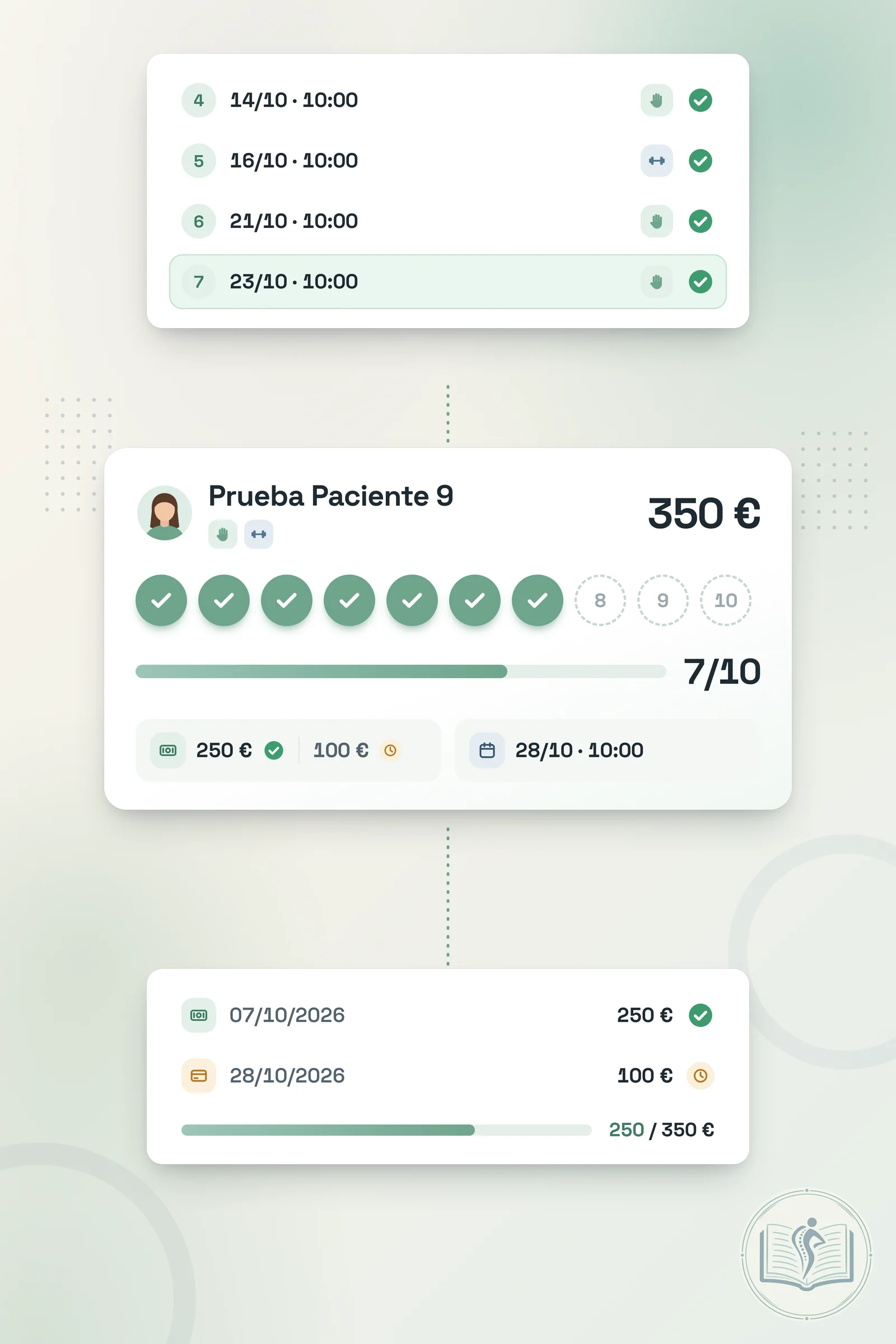
When booking, you set the pack as the payment method: the session gets its number (4 of 10, for example) and no charge, as it is already paid for. If the patient cancels, that session becomes free again.
Partial payments made simple
Record the pack payment in one go or across several payments (cash, card, Bizum or bank transfer). You instantly see what has been collected, what is still outstanding and whether the pack is partially paid.
From the initial assessment to the last session in the pack
Create the pack
After the assessment, add the pack with its sessions and price, and log the payment if the patient has already paid.
Book against the pack
In the schedule, pick the pack as the payment and the session is numbered automatically in date order.
Follow progress
A bar shows sessions used out of the total, and the detail view lists every date with its status.
Close or renew
Once every session is finished, the pack switches to completed; if recovery continues, open another one.
Benefits for the treatment plan and for the clinic's cash flow
🦵 For the treatment plan
- The patient commits to a set number of sessions, which makes it easier to see the rehab through.
- At every visit you know where the patient is in the pack (session 6 of 10) and can plan the review.
- You can offer a better price per session to patients who commit to the whole plan.
💶 For the accounts
- Paid upfront, in one go or in several payments.
- Whatever is still owed on a patient's packs appears in that patient's statistics.
- In clinics, each pack keeps the clinic's share and the physiotherapist's share apart for commissions.