 My Fisio Agenda
WhatsApp reminders for physiotherapists
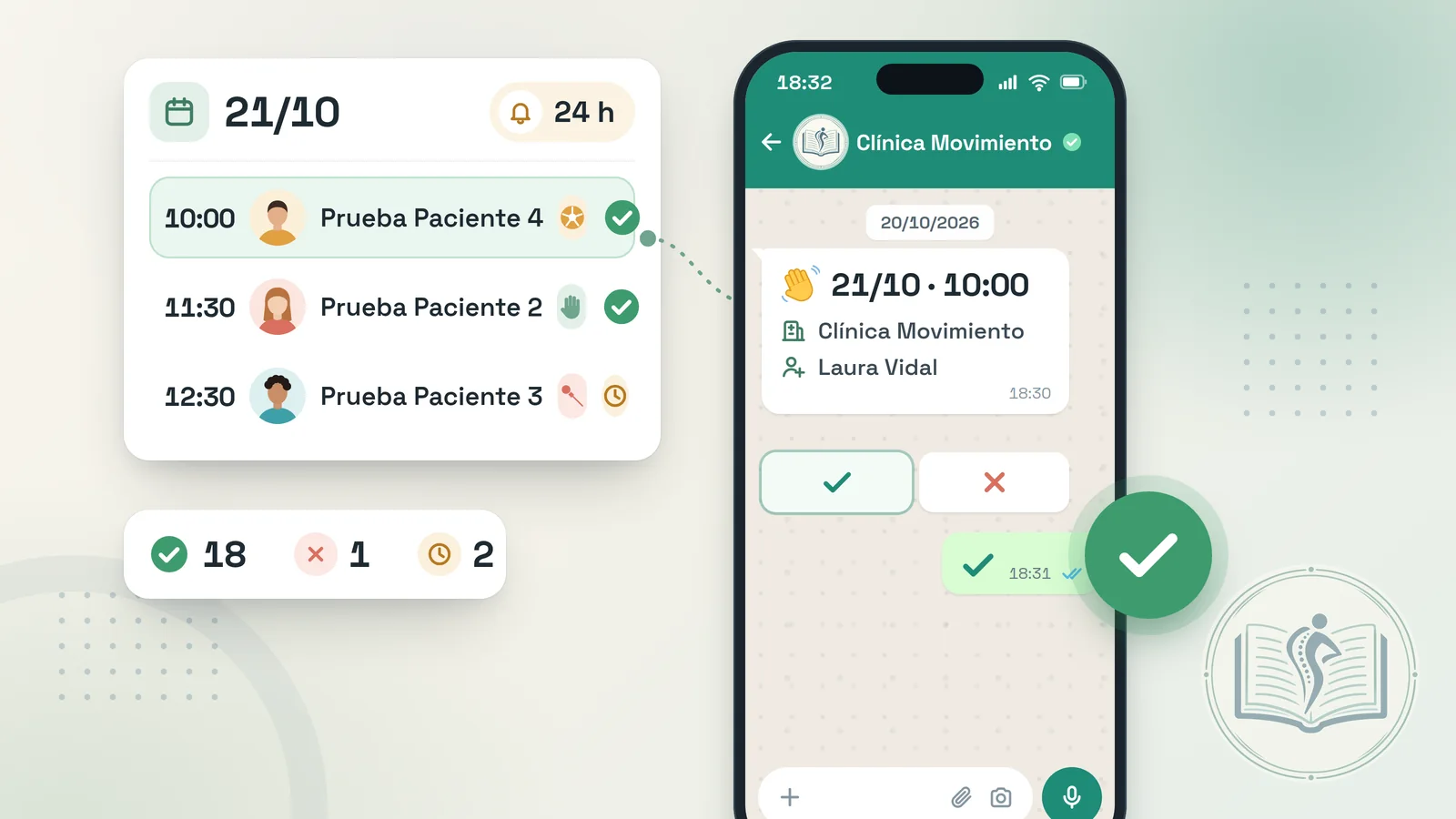
Every patient gets a WhatsApp notice about their physiotherapy session 24 hours before or the moment it is booked, and answers with a button: confirm or cancel. Whenever you would rather write to them yourself, the manual reminder opens in your own WhatsApp, already drafted. No last-minute phone calls and no ticking off by hand who has confirmed. 1 month free, no card needed.
Every empty treatment table is an hour of work lost
A physio schedule tends to run back to back: an ankle sprain check-up at nine, a dry needling session at a quarter to ten and, straight after, a post-op knee. When someone does not turn up, the treatment room sits idle and that slot cannot be recovered, even if you had a patient with low back pain on the waiting list who cannot hold out until next week.
It is rarely a lack of interest: a change of shift at work, a 10-session pack where they have lost count, a week of school holidays. Phoning everyone the day before eats into treatment time. With a WhatsApp appointment reminder the patient keeps the session in mind, can let you know with one tap if something has come up, and you find out early enough to give that hour to someone else.
Three ways to remind patients about a physiotherapy session
Switch on the ones that suit the way you work. They can be combined without the patient receiving repeated notices.
Automatic, the day before
With the “24 hours before the appointment” option switched on, the notice goes out by itself one day before each session from the My Fisio Agenda WhatsApp line. You do not need to check who is coming tomorrow: the system takes care of it and makes sure nobody gets the same message twice.
Automatic, when you book
Turn on “When the appointment is created” and the patient receives the message as soon as you book them in: very handy for a first assessment requested over the phone. If the session is less than 24 hours away, only one notice is sent.
Manual, from your WhatsApp
In the Reminders section you see today's sessions, tomorrow's and those of the following days. Press “Remind” and your WhatsApp opens with the text ready to send. Manual reminders are unlimited on any plan.
Set up in five minutes
Mobile number on file
Save the patient's phone number; numbers from other countries work with their prefix.
Choose when to notify
Tick “24 hours before”, “When the appointment is created” or both at once.
Reminder language
Spanish, Catalan or English for all your reminders.
Link to “My Space”
Decide whether to add a second message with access to their portal: always or only once.
What the patient receives and what happens when they reply
📩 What lands on their phone
A message with their name, the day and time of the session, the clinic and the physiotherapist's name, plus two buttons: one to confirm the appointment and one to cancel it. For example:
Hello Laura,
This is a reminder for your physiotherapy appointment on November 14 at 18:30.
Center: your clinic
Physiotherapist: your name
See you there!
ConfirmCancel
If the portal link is switched on, a second message follows straight away with a button to open “My Space”, where they check their upcoming appointments and any documents you share. The text includes no clinical data: just name, date, time, clinic and practitioner.
🔁 When the patient taps a button
- Confirm: a page opens to confirm it, and the session shows a ✅ in your schedule.
- Cancel: once they confirm the cancellation, the slot shows as a free gap you can give to another patient.
- If you moved the session after the notice went out, the page already shows the new date and time.
- Links are signed: nobody can confirm or cancel someone else's appointment.
- Optional: you get a WhatsApp when a patient cancels or asks for an appointment from their space.
- Working with 5 or 10-session packs? The notice goes out for every session in the pack just the same.