 My Fisio Agenda

It's ten past nine on a Monday. A patient rings to book with whoever has a slot on Thursday afternoon, Laura asks whether cubicle 2 is free at eleven, and Marcos wants to know how many sessions you'll be paying him for this month. With two physios, a paper diary at reception and a good memory cover all of that. Once a third one joins, you start getting clashing bookings, lost notes and evenings spent on spreadsheets.
If you run a clinic with several physiotherapists and you're looking for physio clinic software, this is what it has to handle once you work as a team: everyone's diary, rooms and cubicles, patients who see more than one physio, commission, invoices and who can see each clinical record. At the end you'll find what it costs and how to test it with your team before paying anything.
When the shared diary falls short
Lots of clinics start with a book at reception or a shared Google Calendar. It works while there are two of you and you see each other every day. With three or four physios, morning and afternoon shifts and someone answering the phone, the same problems keep coming up:
- two patients booked at the same time in the same cubicle, because each physio only looked at their own column;
- reception doesn't know who has free slots and has to ask between sessions;
- session notes are scattered across notebooks, personal phones and a document nobody updates;
- at the end of the month someone spends an afternoon counting sessions to work out what each physio is owed;
- a patient who sees two physios asks for a single invoice and you have to dig out each one's sessions separately.
If two or three of these sound familiar, your clinic already needs software built for teams. A system designed for a physio working alone won't do: it has no overall view, no rooms and no commission.
What physio clinic software must handle
Good software for physios who work together runs on two levels. At the bottom, each physiotherapist has their own diary, patients and notes, as if they worked on their own. At the top sits the clinic account, which sees the whole picture and coordinates. If the software doesn't keep those two levels apart, either everyone sees everything or the person running the clinic sees nothing.
The whole team's diary on one screen
The first thing reception needs is the whole team's diary at once, with a colour for each physio, plus the option to show just one person or filter by room. When a new patient calls, whoever picks up finds the first free slot and books it into the right physio's diary without interrupting anyone mid-treatment.
Some details make a difference every day. The diary should refresh itself when a colleague moves an appointment. Long courses of treatment call for recurring sessions, weekly, fortnightly or monthly, without booking them one by one. And each physio's personal blocks should show as busy without the reason: nobody at reception needs to know you have the dentist on Tuesday at six.
Rooms and cubicles that can't be double-booked
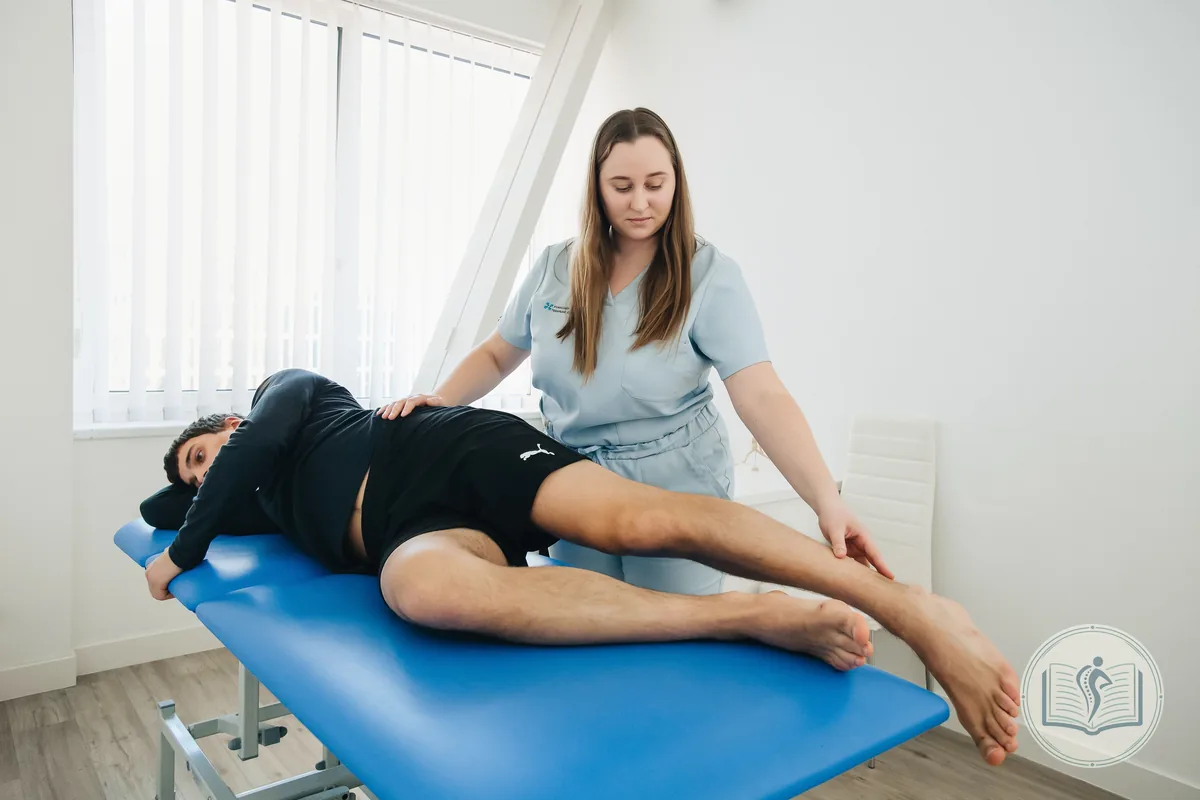
In a clinic with only a few cubicles, space is usually the bottleneck. The software has to know your rooms and cubicles, let you assign one to each appointment and check that it's free at that time before saving. If it's taken, it should warn you and refuse to save the booking. That way two colleagues never turn up at the same cubicle at once, each with a patient. The same goes for the rehab gym or the pelvic floor room, which are usually shared.
Patients who see more than one physio

It happens all the time: a patient starts with one colleague for low back pain and, a month later, another physio takes on their pelvic floor rehab. If each of them opens a separate record, you end up with two phone numbers, two consent forms and two ways of invoicing the same person. The practical answer is for the clinic to share the record between physios: personal details, billing details and signed consent forms stay identical in every copy, while clinical notes, session packs and appointments stay separate for each professional. For the clinic it's still one patient, and a single invoice can bring together sessions with both physios.
Reminders patients can confirm
With several diaries, gaps left by forgetful patients multiply. Automatic WhatsApp reminders, sent 24 hours before or as soon as the appointment is booked, with buttons to confirm or cancel, save a lot of phone calls. Check how the reply shows up in the diary. In My Fisio Agenda, a confirmed appointment gets a blue double tick next to the patient's name and one that's still pending gets a grey one, so reception can see at a glance who's worth a call.
Statistics for each physiotherapist
To run the clinic you need to know how many sessions each physio does, which days fill up and which stay quiet, which treatments are most in demand (dry needling, pelvic floor, sports physiotherapy…) and how much the clinic is bringing in. If those figures come straight from the diary and the payments, you won't have to ask anyone for them. A PDF report helps at the monthly meeting with the team or the accountant.
Commission and settlements without a spreadsheet

In many clinics each physio takes a share of what the patient pays, either a percentage or a fixed amount per session. Working it out by hand takes time and leads to awkward mistakes between colleagues. The software should store, for every session, what the patient pays and what the physio is due under the commission you've set for each person.
At the end of the month, commission and settlements should come from a summary per professional: sessions completed, gross amount, commission, net amount and what is still to be invoiced. With that summary in front of you, the settlement invoice should be generated without copying figures across. Check how the software handles payments too: part payments, several payment methods, sessions still unpaid and what happens to money already taken if a session is cancelled.
Invoicing for the clinic and for each physio
A clinic invoices in several ways at once. The clinic invoices patients, sometimes each physio invoices their own sessions, and some patients want the invoice made out to their company. The software has to cover all three and issue sessions without VAT, because healthcare is VAT-exempt in Spain, applying income tax withholding (IRPF) where needed.
It also has to be ready for VeriFactu. Royal Decree 1007/2023 requires invoicing software to record every invoice in a chain that can't be altered afterwards. Under the dates currently in force, a clinic set up as a limited company must comply from 1 January 2027, and self-employed professionals from 1 July 2027. On 5 October 2026 the Spanish Ministry of Finance announced that it plans to push this back to October 2028, but until that is published in the BOE the 2027 dates still apply. The Tax Agency's VeriFactu page has the rules and the FAQs.
Who can see each clinical record

With several professionals and someone on reception, the question of who sees what stops being theoretical. Article 16 of Law 41/2002 (in Spanish) states that the professionals who diagnose or treat a patient have access to their clinical records, and that administrative and management staff may only access the data related to their own duties. In practice, reception needs the diary, phone numbers and payments, but not the session notes.
Make sure the software actually supports this: one account per physio, the clinic diary for whoever books appointments, and a PIN to open clinical records from the clinic account. Add two-step verification, control over connected devices and an activity log.
There's another part that often gets overlooked. When you sign up for cloud software, the clinic is the controller of its patients' data and the provider becomes a processor, so you need a data processing agreement. The Spanish Data Protection Agency explains what it should include in its guidelines for contracts between controllers and processors (in Spanish). Ask where the servers are, too: if they're in the European Union, there are no international data transfers. And remember that a clinic keeping clinical records usually needs a data protection officer, as we explain in our guide on how to open a physiotherapy clinic in Spain.
What clinic management software for physios costs
Pricing for clinic management software for physios works in one of two ways: per professional, with a fee for each physio, or per clinic, with a fixed price up to a set number of physios. Before comparing, add up what isn't on the front page: WhatsApp or SMS reminders charged separately, invoice limits, storage for patient documents and whether there's a fee for setup or data migration.
In My Fisio Agenda, clinic plans have a fixed monthly price, with no tie-in and VAT on top:
- Center Mini, €99.99: up to 5 physiotherapists, each on the Junior plan, and 550 VeriFactu invoices a month for the clinic;
- Medium Plan, €129.99: up to 10 physiotherapists on the Senior plan and unlimited invoices;
- Center Super, €159.99: up to 15 physiotherapists on the Senior plan and unlimited invoices.
With a full team, that works out at €20, €13 and under €11 per physio per month. Each physio's plan comes with its own automatic reminders (100 or 250 a month, depending on the plan), and the ones each physio sends from their own WhatsApp are unlimited. The details are on the pricing page.
How to test it with your team before deciding
A half-hour demo won't tell you whether the software can cope with a Monday at your clinic. Use the free month to do what you'll be doing every week:
- Import your patients from your current system or from an Excel file and check the preview before confirming.
- Add each physio with their colour, commission and session price, and set up the rooms.
- Ask reception to book three new patients into the first free slot with any physio, without asking anyone.
- Try booking the same cubicle at the same time from two different diaries. The software should stop you.
- Share a patient's record between two physios and check what each one can see.
- At the end of the month, compare the software's settlement with your spreadsheet.
If everything adds up, the actual switch is straightforward, because your patients are already in and the team knows the tool.
My Fisio Agenda for physiotherapy clinics
My Fisio Agenda is physiotherapy clinic management software made in Spain for teams of up to 15 physios. Each physiotherapist works in their own account and the clinic has its own to coordinate everything:
- the whole team's diaries in real time, with a colour per physio, rooms and cubicles and recurring sessions;
- patients shared between physios, with each professional's clinical notes kept separate;
- commission as a percentage or a fixed amount and a monthly settlement for each physio;
- invoices from the clinic and from each physio, ready for VeriFactu, with VAT exemption, IRPF and Facturae e-invoices;
- automatic WhatsApp reminders with confirm and cancel buttons and a double tick in the diary;
- informed consent forms signed digitally on a phone or tablet;
- statistics by physio and by session type, with a PDF report;
- servers in the European Union, encrypted daily backups and a data processing agreement.
It runs in the browser on a computer, tablet or phone, with nothing to install. You can try it 1 month free, no card needed, with your whole team on board.
Frequently asked questions about physio clinic software
Short answers to the questions clinic owners with several physios ask most often.
How is software for a physio clinic different from software for a self-employed physio?
It has a clinic account. On top of each physio's diary, patient records and invoices, clinic software has an account for the clinic itself that sees the whole team's diaries, manages rooms and cubicles, shares patients between physios and works out commission and settlements.
Can reception book appointments without seeing patients' clinical records?
Yes, and that's the recommended set-up, because Spanish Law 41/2002 limits administrative staff to the data they need for their work. In My Fisio Agenda, whoever books appointments works from the clinic diary, and you can require a PIN to open clinical records.
How is each physiotherapist's monthly settlement calculated?
Every completed session stores what the patient pays and what the physio is due after their commission, as a percentage or a fixed amount. At the end of the month, the summary shows each professional's sessions, gross amount, commission, net amount and what is still to be invoiced, and generates the settlement invoice.
When does a physiotherapy clinic have to comply with VeriFactu?
Under the dates currently in force, from 1 January 2027 if the clinic is a company and from 1 July 2027 if it invoices as a self-employed professional. In October 2026 the Ministry of Finance announced plans to delay it to October 2028, but until that is published in the BOE the 2027 dates apply.
Do we need a data protection agreement with the software provider?
Yes. The clinic is the controller of its patients' data and the software provider is a processor, so the GDPR requires a data processing agreement. My Fisio Agenda includes one and stores the data on servers in the European Union.
Do WhatsApp reminders work during the free month?
Yes. Automatic reminders work during the free month, and the ones each physio sends from their own WhatsApp are unlimited on every plan.
How long does it take to move a clinic to new software?
Mostly it depends on the state of your data. If you can export your patients to CSV or Excel, the import wizard brings them in with their appointments in one go, recognises the columns and doesn't duplicate anyone with the same phone number or email. What usually takes longest is agreeing with the team on how you'll work.